> ## Documentation Index
> Fetch the complete documentation index at: https://docs.littleregistry.com/llms.txt
> Use this file to discover all available pages before exploring further.
# Add your own custom domain
> Set up a branded domain for your public registry
By default, when your users set up and share their gift registries under Little Registry, they'll see [**my.littleregistry.com/theirname**](http://my.littleregistry.com/theirname). You can connect your own domain so that when they share their registry with friends, they’ll see your branded link instead of [**my.littleregistry.com**](http://my.littleregistry.com).
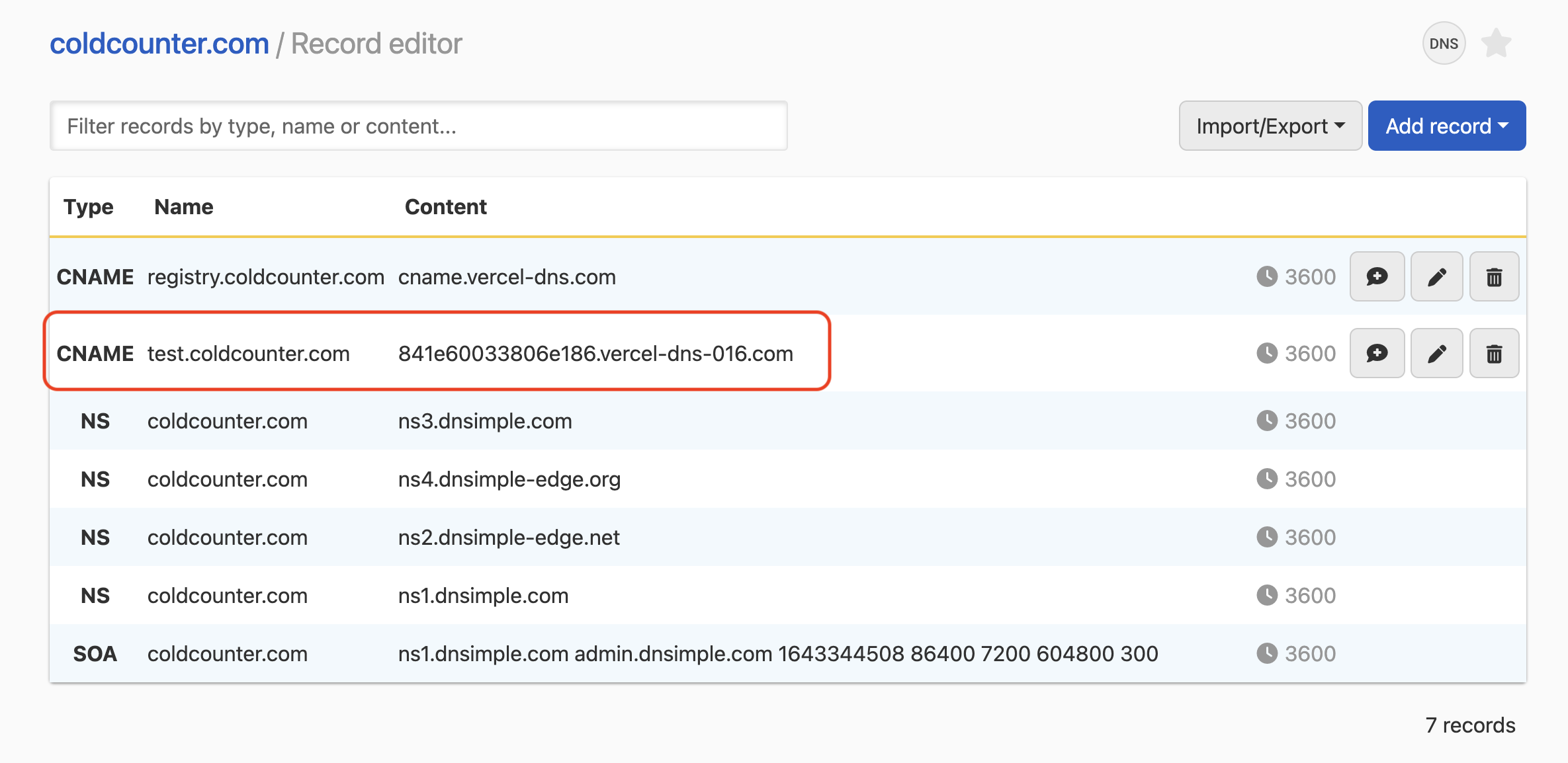
To get started, go to your DNS host and create a **CNAME record**. Point the subdomain you’d like to use (for example, [registry.yourdomain.com](http://registry.yourdomain.com)) to `841e60033806e186.vercel-dns-016.com`. Once that’s set up, your users' registry will be accessible through your custom domain.
Here’s an example screenshot for reference.
 Once you’ve finished this step, return to your Little Registry settings in Shopify and save your custom domain.
