> ## Documentation Index
> Fetch the complete documentation index at: https://docs.littleregistry.com/llms.txt
> Use this file to discover all available pages before exploring further.
# Gift Manager Display Options
> Description of your new file.
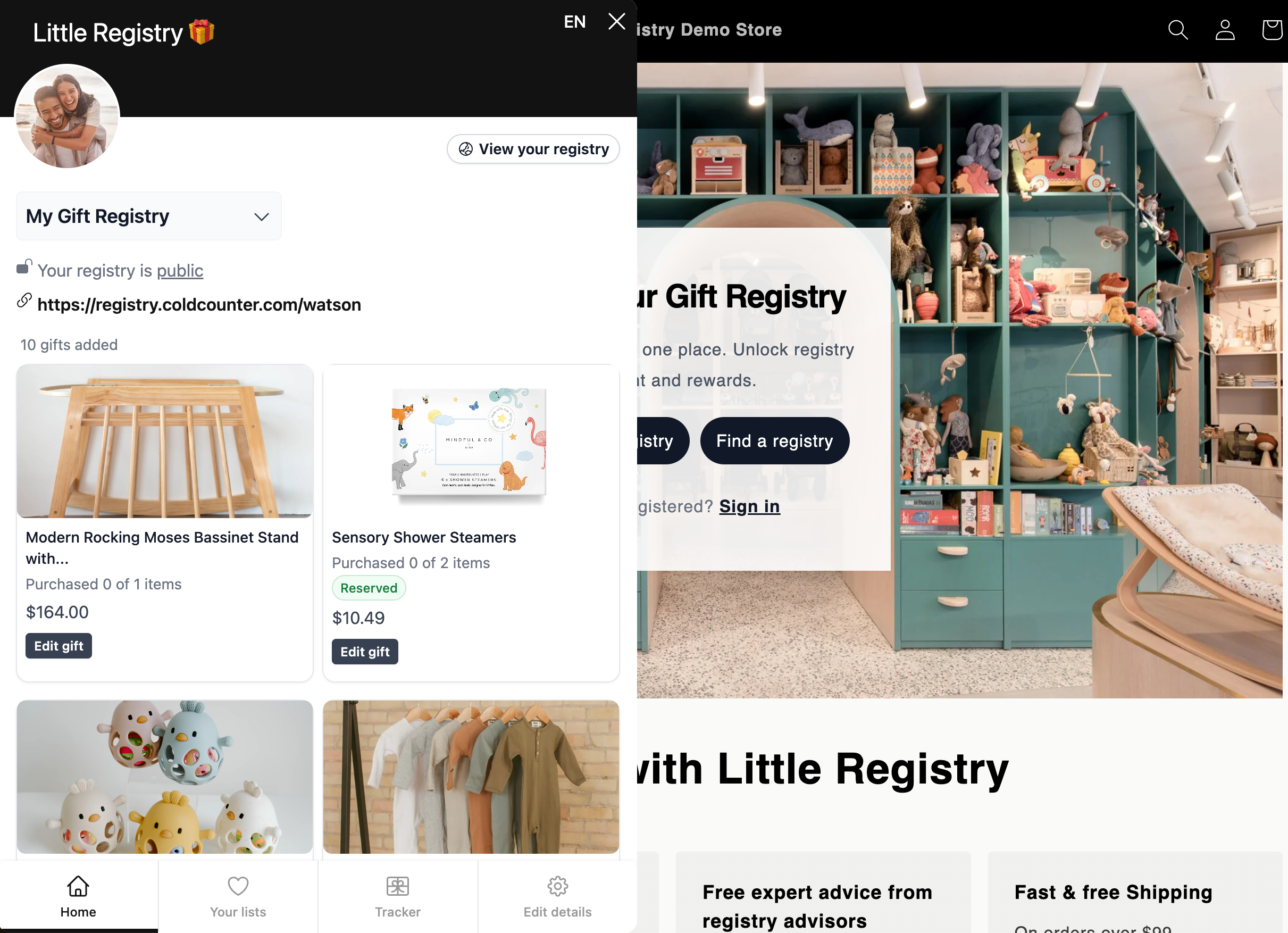
Your customers can open the Gift Manager to view gifts, purchases, and manage their registry. Little Registry provides a widget you can display in different ways.
 ## Display Options
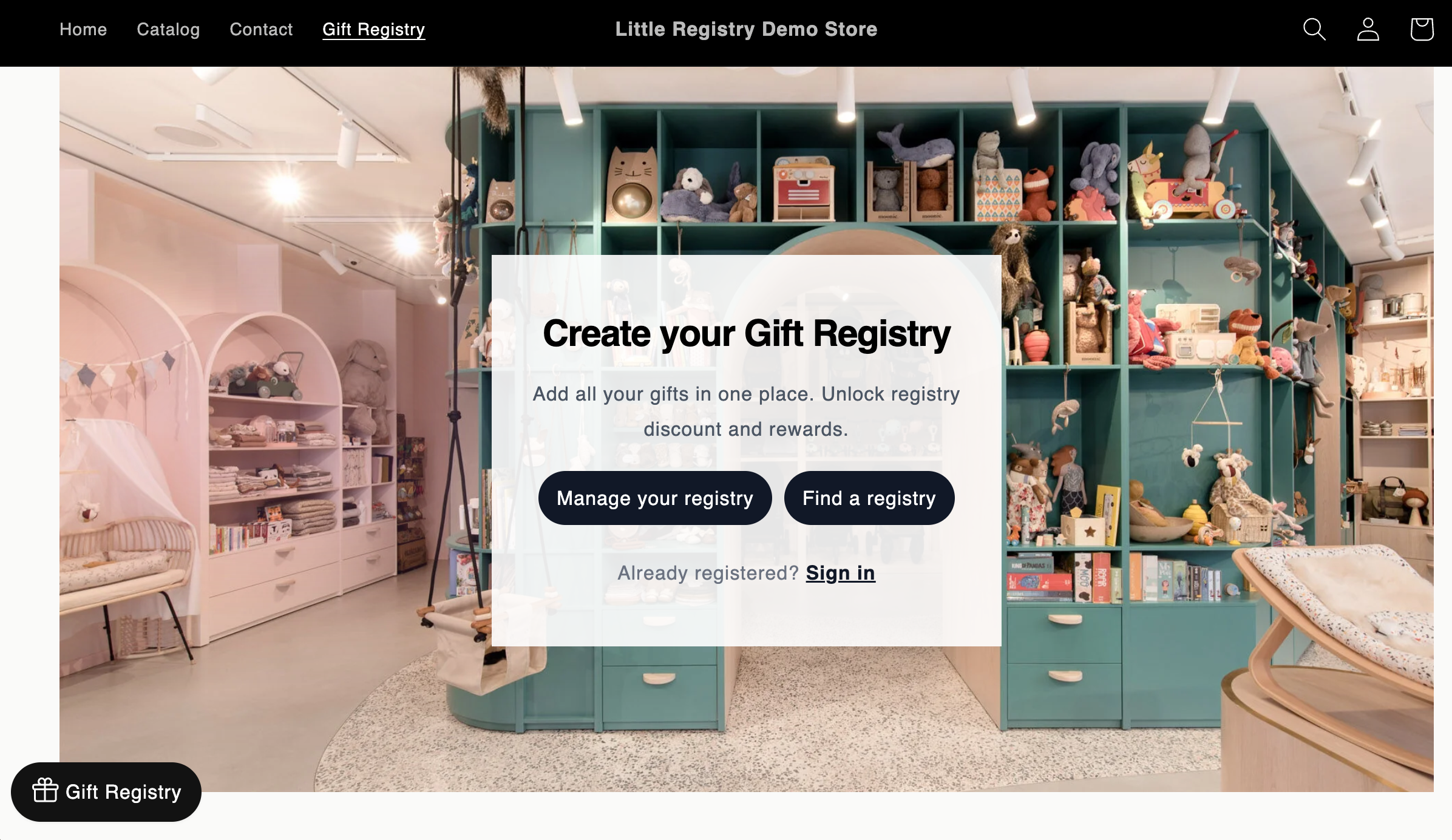
### 1. Floating Button
A button at the bottom (left or right) with customizable text.
## Display Options
### 1. Floating Button
A button at the bottom (left or right) with customizable text.
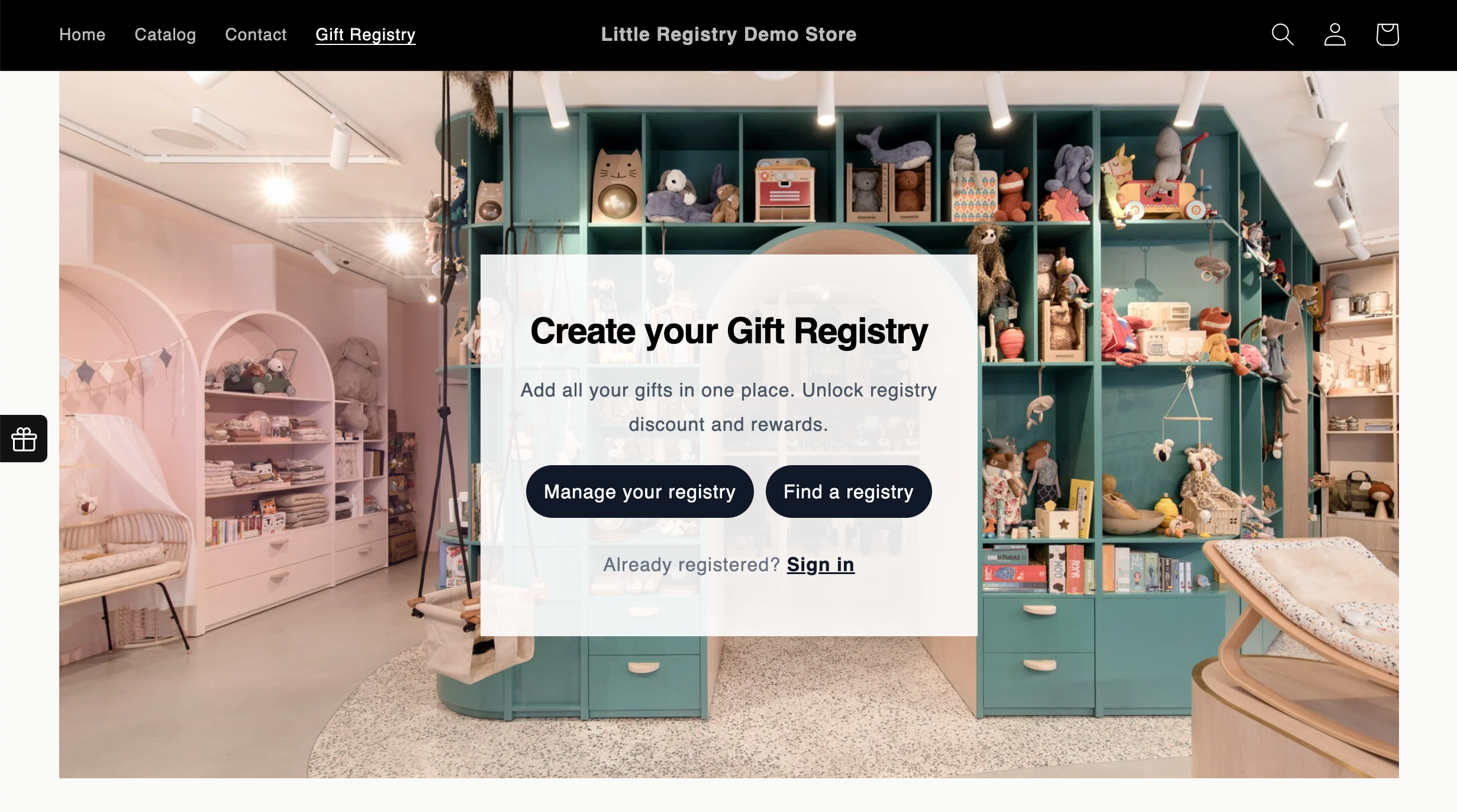
 ### 2. Side Icon
A compact button on the side of the page.
### 2. Side Icon
A compact button on the side of the page.
 ### 3. Hidden
No visible widget. Customers access Gift Manager only through a “Manage Registry” link or any button you add to your storefront.
### 3. Hidden
No visible widget. Customers access Gift Manager only through a “Manage Registry” link or any button you add to your storefront.